Your time, openedon your terms.
One diary across every place you work. You decide what is available where, and patients book only what you have genuinely opened -- booked, walk-in, remote or emergency, all on the same calendar.
What this gives you
Every kind of appointment
New consultation, scheduled follow-up, walk-in, emergency, hospital consultation, teleconsultation, home or outreach visit -- one engine, one calendar.
Sessions, not just slots
Clinic sessions with their own capacity, location and walk-in allowance, repeated across the weeks you actually work.
Slots that genuinely exist
Availability is generated from your real working pattern, with buffers, blocked time, leave and holidays already subtracted.
Walk-in capacity, planned
Reserve part of each session for people who simply arrive, so the unscheduled day is a plan rather than an interruption.
Cancellations that refill
A waiting list offers released time automatically instead of leaving an afternoon empty.
Straight into the consultation
A booking becomes a clinical encounter automatically -- no second act of starting something.
What it looks like
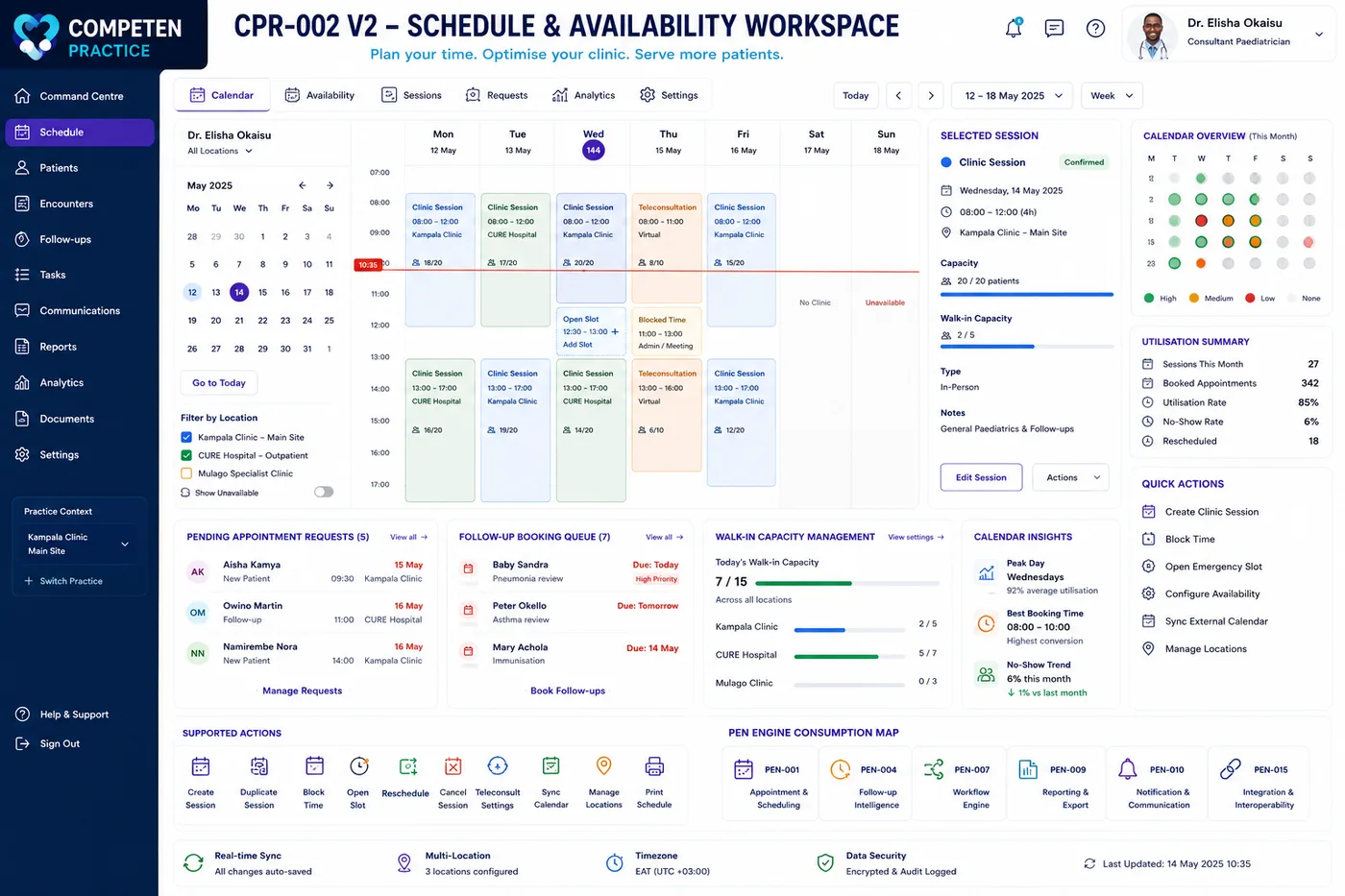
Sessions across every location, with walk-in capacity and utilisation in view. 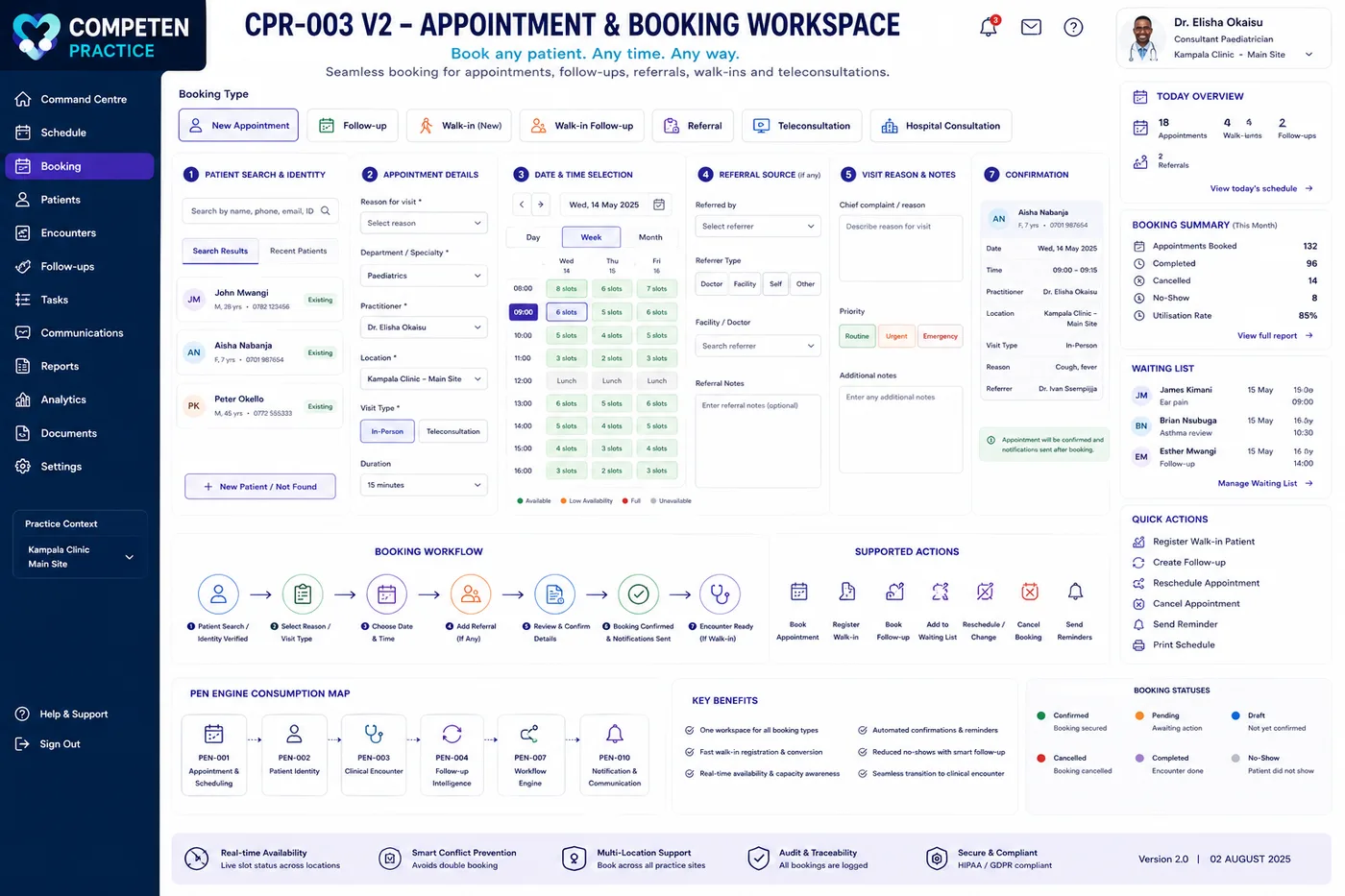
One booking flow for appointments, follow-ups, walk-ins, referrals and teleconsultations.
Interface previews from the Competen Practice product design.
The rest of Competen Practice
Each area is one part of the same product. Nothing here is a separate purchase.
The encounter
Sub-minute registration, patient search that finds anyone, and one encounter lifecycle for every visit type.
Explore →Continuity of care
Problem lists, investigations, treatment and outcomes, and risk-based recall that escalates when a review slips.
Explore →Your case memory
Similar-case retrieval, what your treatments actually achieved, and decision support that shows its working.
Explore →Evidence & reporting
Hospital payment lists, case logs, professional portfolio evidence and governed research datasets.
Explore →Care anywhere
Secure video consultations, and a genuinely offline mode for outreach, home visits and bad connections.
Explore →Your team & network
Delegation with approval and audit, secure clinician messaging, referrals, handovers and multidisciplinary discussion.
Explore →Setup & connections
Configuration without a developer, one identity across every organisation, and standards-based links to the systems you run.
Explore →
See it with your own clinic in mind.
We will walk through your appointment book, your follow-up problem and your front desk, and show you what changes.